Start
Describe the building or add a reference and select a size.
 MCSkinGen
Plan a Minecraft building from a description, an image, or both.
Open the tool ↗Plan a Minecraft building from a description, an image, or both.
Game-file downloads are not available yet. You can inspect the building and download blueprints and materials.
Turn a description, an image, or both into a bounded block structure. Inspect the entrance, walk around, check each floor and change a selected region.
Hidden interiors are inferred from the available input.
Sign in to save the sample. Game exports are being validated separately.
Edit or paste a JSON block plan. Coordinates, materials, spawn and entrances are checked before a new private version is saved.
The building tool creates a bounded block structure for inspection, layer blueprints and selected-region edits. Game exports are being validated separately.
Describe a woodland cottage with a stone foundation, windows and a dark oak roof.
Describe the building or add a reference and select a size.
Review the quote and generate a building.
Inspect the structure, layers and materials; refine a selected region if needed.
The Minecraft AI building generator turns a written idea, a reference image or both into a bounded block structure. Describe the purpose, materials, entrance and roof, then inspect the generated building in a 3D viewer and by horizontal layers. Hidden sides and interiors must be inferred, so the result may differ from the reference. This is a planning tool rather than a guarantee of an exact replica.
The workspace offers enabled 32×32×32 and 64×64×64 maximum-size tiers; the larger 256 tier is disabled while validation is in progress. You can inspect block counts, material quantities, spawn and path checks, then refine a selected region while retaining the original version. Validation can reject an invalid plan, so not every AI request produces a finished building.
Sign in, enter a description or upload a JPG, PNG or WebP reference, select a size, and request a quote. Review the credit cost before confirming. A useful prompt might specify a woodland cottage with a stone foundation, entrance, windows and a dark oak roof. The free sample cabin can be saved after signing in and helps you explore the viewer before requesting generation.
After a successful task, orbit the model or use walking and flight controls where supported. Move through Y-layer blueprints, review the material checklist and download a layer PNG, material CSV or voxel JSON. Select inclusive coordinates to request an AI edit or use the advanced manual plan tools. Review the new version against its parent; the original stays saved.
The sample below is a screenshot of the built-in cabin in the actual viewer. It is a fixed example compiled from a prepared plan, not an AI-generated result; the preview uses flat material colors. It shows what the inspection interface can display, not a promise that every generation will produce this building.
Game-file downloads are currently unavailable while compatibility is being validated. A voxel JSON, blueprint or material list is not a Minecraft world or structure file. If a plan fails validation, review the reported issue and use the available returned-plan correction tools where offered. AI results and dimensions vary; check entrances, layers and materials before building manually or relying on a plan.
A screenshot of the prepared sample in the actual viewer, not an AI-generated building.
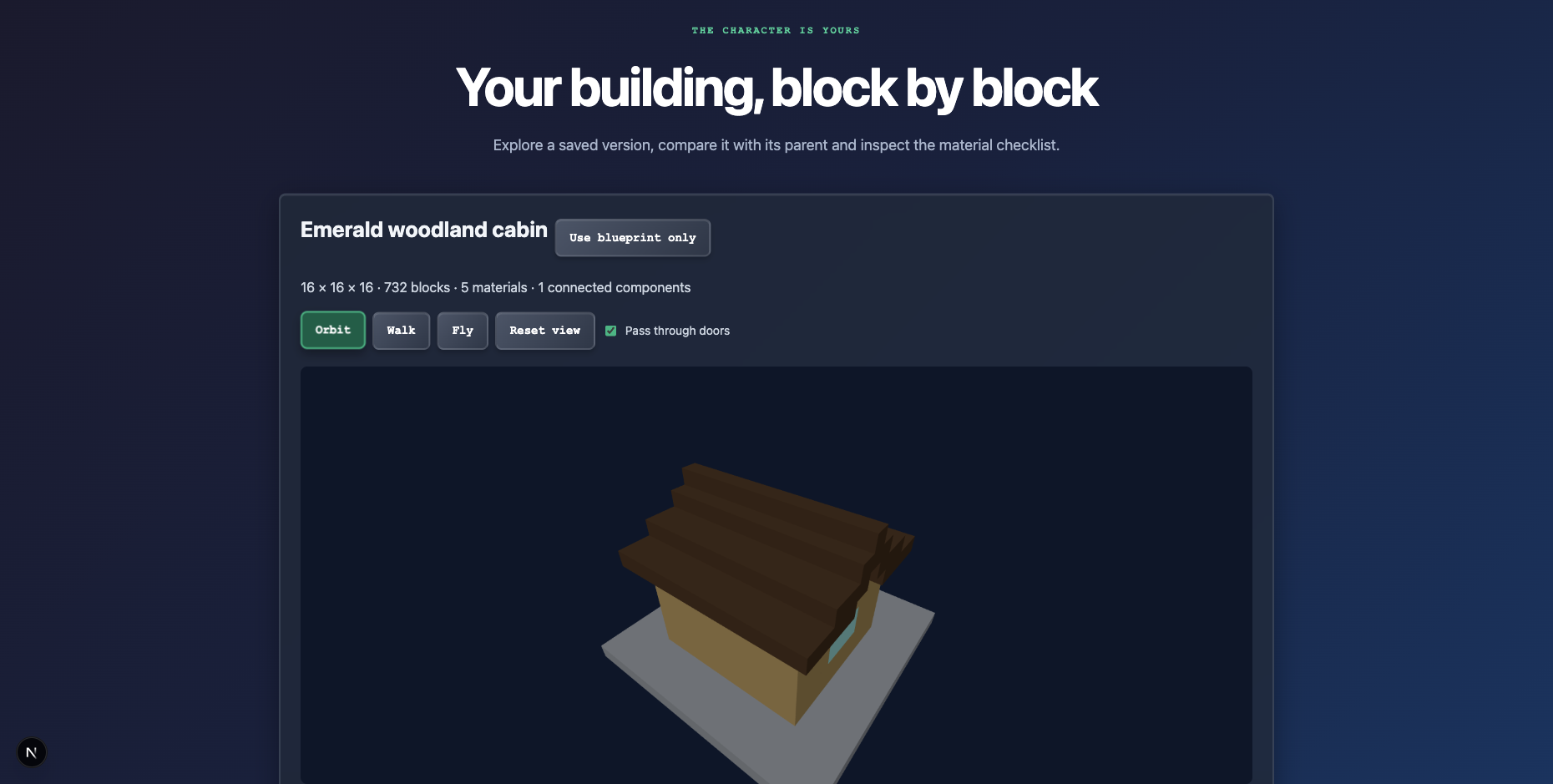
The tool offers a free sample cabin; signing in is required to save it.
Game exports are being validated separately.